I'm a gamer. I grew up in and around one of the best cities anywhere, Austin, Tx. Head down if you like live music or games!
146235 stories
·
8 followers

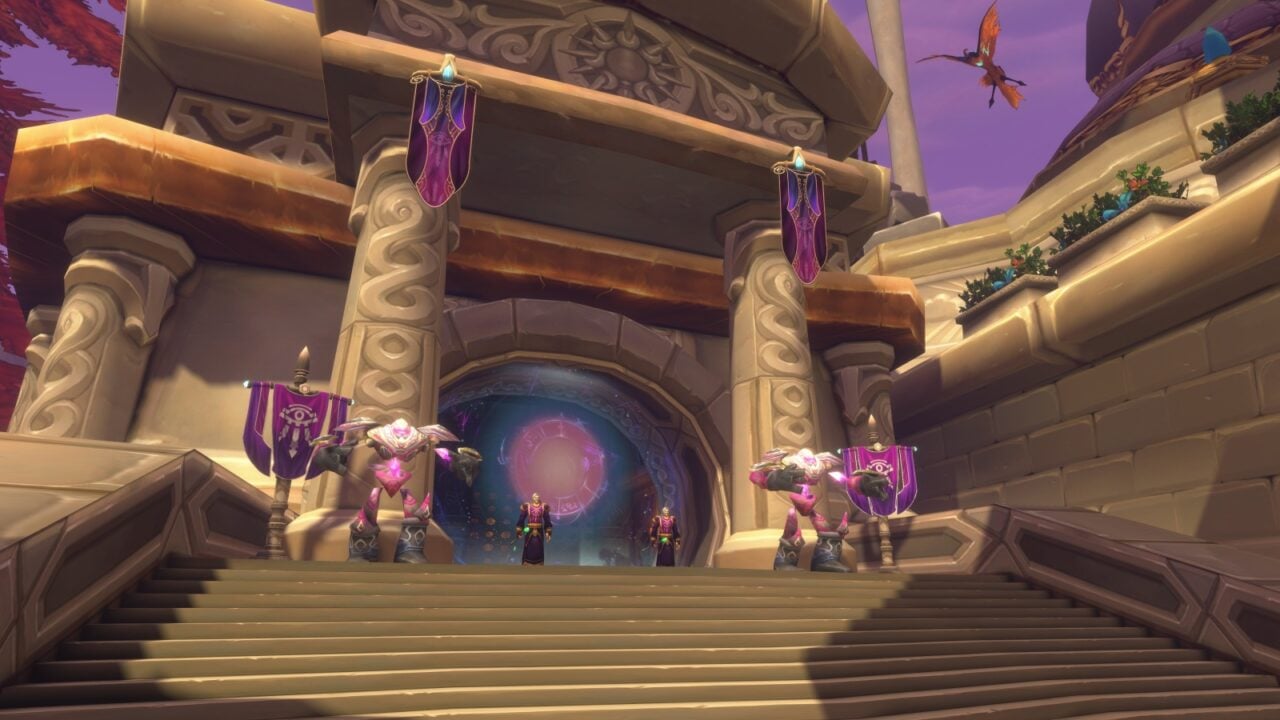
World of Warcraft Forever’s first day of beta sees massive queues, lag, bugs, and plenty of early opinions

1 Share
We were pretty confident that the first day of beta for World of Warcraft Forever was going to be absolutely slammed, as were the devs at Blizzard (very likely), but everyone appeared to be surprised at just how busy it got, as the servers got absolutely walloped right from the very jump. Senior game producer Tom Ellis […]
Read the whole story
Jagmas
15 minutes ago
reply
Round Rock, Texas
Share this story
Delete

Don't bother turning Control Resonant up to the maximum for mind-bending graphics, there's both performance and beauty in the lower graphics presets too

1 Share

I've spent the past couple of days tinkering with Remedy's latest supernatural action-a-thon, Control Resonant. I've been testing it on my home PC, a fairly powerful (but not outrageous) rig, and I've got some good news: when it comes to balancing image quality with performance, I reckon there's very little reason to stress your own machine out with the top whack settings.

My PC is an RTX 5070 Ti-equipped, AMD Ryzen 7 7700X-toting rig with 32 GB of DDR5. It's no slouch, that's for sure—but neither is it a $3,000+ firebreather. And at 1440p, Control Resonant runs smoothly on this machine at nearly every setting, with zero stutters and decent frame rates even with frame generation turned off.

You should still prepare your graphics card for a workout if you use the Ultra presets, as Control Resonant features full path tracing at the very tippy top. I've got some image comparisons below, but for now I'll say this: I'm really not going to bother with maximum settings for the rest of my playthrough.

This game still looks grand with the graphics options pared back, and when it comes to the ray tracing, you can gain a decent amount of performance by dropping things down.

The graphics setting menus for Control Resonant
Remedy
The graphics setting menus for Control Resonant
Remedy
The graphics setting menus for Control Resonant
Remedy

In terms of those graphics options, my goodness do you get a lot of them. The ray tracing can be adjusted independently of the regular graphics presets, which in turn have a full-featured whack of settings to tweak to your hearts content. There's also a choice between DLSS 4.5 and an older, CNN-based model for upscaling duties, or FSR (including FSR 4) for AMD users.

Despite all these potential setting tweaks, it'll be no surprise to learn that ray tracing provides the biggest performance hit, so I grabbed some figures with Ultra graphics settings enabled at the various different RT presets.

&&

Control Resonant - RTX 5070 Ti - 1440p Ray Tracing Performance

Results recorded during gameplay at 1440p resolution, Ultra settings, DLSS set to Quality, Frame Generation off.

Control Resonant - 1440p, Ultra settings, DLSS Quality, FG off

Avg FPS
1% Low FPS
RT Ultra
62
44
RT High
71
50
RT Medium
76
54
RT Low
84
60
RT off
105
73
037.575112.5150
Control Resonant - 1440p, Ultra settings, DLSS Quality, FG off Data
ProductValue
RT Ultra62 Avg FPS, 44 1% Low FPS
RT High71 Avg FPS, 50 1% Low FPS
RT Medium76 Avg FPS, 54 1% Low FPS
RT Low84 Avg FPS, 60 1% Low FPS
RT off105 Avg FPS, 73 1% Low FPS

As you can see, the difference between ray tracing at Low and off entirely is fairly significant, amounting to an extra 21 frames in the averages. However, Control Resonant is full of stark shadows, reflective puddles in streets, and shiny office block windows.

Personally, I like to enable some ray tracing goodness if my graphics card can handle it, and there's a mere five fps average difference between the Medium and High presets on my machine. The RT Ultra preset, however, provides a significant plummet in average frames—and looking at my image comparisons, I really don't think it's worth it.

A selection of screenshots showing various ray tracing settings in Control Resonant, with the settings labelled in the bottom left
Remedy
A selection of screenshots showing various ray tracing settings in Control Resonant, with the settings labelled in the bottom left
Remedy
A selection of screenshots showing various ray tracing settings in Control Resonant, with the settings labelled in the bottom left
Remedy
A selection of screenshots showing various ray tracing settings in Control Resonant, with the settings labelled in the bottom left
Remedy
A selection of screenshots showing various ray tracing settings in Control Resonant, with the settings labelled in the bottom left
Remedy

Sure, you can spot some differences between Ultra RT and High if you really hunt for them. The lighting on the parking lot ceiling above the central lamp, for example, looks a lot more realistic with the ray tracing maxed out. But switching back between this and the High setting during actual gameplay, you'll really struggle to tell.

In fact, the Medium RT preset looks pretty darn good as well, although the ceiling darkens up considerably. If you switch to Low, shadows lose their definition fairly quickly, as evidenced by the truck in the background and Dylan's legs.

Given that Control Resonant likes to play with light and shade in its environments, I think that RT High is probably the best compromise between image quality and performance. Still, all these screenshots look grand to my eyes.

&&

Control Resonant - Ray Tracing Image Quality

A comparison between RT High settings, and RT Low. Notice the sharper shadow Dylan casts on the left, and the more realistic reflections on the wet road.

AfterBefore
Brand Logo
RT High
RT Low

There are some appreciable differences with High ray tracing enabled. In the brightly lit Manhattan street above, the Low ray tracing reflections in the road become a little blocky, while High gives them a hazy quality that feels more appropriate for the scene.

And again, check out Dylan's shadow. It's crisp and well-defined with ray tracing set to High, and quite fuzzy at Low. As is the lighting on Dylan himself, now I come to notice it. Still, I think both of these presets make the game look great, especially once you stop pixel hunting and start stalking the streets.

Keeping ray tracing set to High for consistencies sake, I thought I'd see if I could gain some extra performance by adjusting the regular graphics presets. It's a similar story, though: Ultra settings provide the most significant performance drop, while High and Medium are so close as to be within margins of error.

&&

Control Resonant - RTX 5070 Ti - 1440p performance

Results recorded during gameplay at 1440p, RT High, DLSS set to Quality, Frame Generation off.

Control Resonant - 1440p, RT High, DLSS Quality, FG off

Avg FPS
1% Low FPS
Ultra
71
50
High
80
57
Medium
81
60
Low
86
62
0255075100
Control Resonant - 1440p, RT High, DLSS Quality, FG off Data
ProductValue
Ultra71 Avg FPS, 50 1% Low FPS
High80 Avg FPS, 57 1% Low FPS
Medium81 Avg FPS, 60 1% Low FPS
Low86 Avg FPS, 62 1% Low FPS

There's a sweet spot here if you're trying to min/max image quality with performance, and it's setting both the regular graphics preset and the ray tracing settings to High, with the upscaler of your choice set to Quality. The game looks downright excellent at these settings, and on this machine results in some very smooth, great-looking gameplay.

Observe, as I button mash my way through some combat in clip below with both set to High. Also notice how the environment is extremely reactive to my ham-fisted attempts to hit something, anything, with my supernaturally enhanced weapons, all without a hint of hitching or stuttering.

This game is very impressive in motion, and given that I haven't even touched the frame generation to get a smooth frame rate with ray tracing turned up, it seems reasonably well optimised as well.

However, I appreciate that not everyone can afford a PC with this sort of grunt, even if it's not the latest and greatest. The good news, though, is that Control Resonant actually looks pretty good with everything set to its lowest. The screenshot below was taken at the Low preset, with ray tracing disabled entirely.

Dylan from Control Resonant, rendered in a street scene at Low settings, no ray tracing

(Image credit: Remedy)

Not exactly ugly, is it? The restaurant signage is a little blurry, but check out how much detail is still kept within the scene even with everything turned down to the very, very bottom.

Remedy says the minimum required GPU is a GTX 1070 (for 1080p/30 fps at Low), and while I don't have one of those on hand to test with, I'd still happily play Control Resonant at the lowest settings if I needed to. It preserves a remarkable amount of detail with everything turned down, with a decent boost in performance.

The clip above was recorded at 1080p Low with DLSS set to Quality, and with ray tracing and frame generation turned off. It's Control Resonant's art style that really makes the difference here.

The world itself is clearly defined and beautifully put together, and while I'd still enable ray tracing in some fashion if you can afford the frame rate hit, it's simply a good-looking game no matter the settings.

The reactivity of the environment (and a fair few spooky-dooky, yet lightweight effects) are really what you're paying the price of entry for, so don't feel too obliged to turn up the pretties for the sake of it. There's performance to be found in them thar hills, and I certainly wouldn't spoil a good time by cranking things up to the max.


Read the whole story
Jagmas
15 minutes ago
reply
Round Rock, Texas
Share this story
Delete

The first look at Ian McKellen back as Gandalf in The Hunt for Gollum has been revealed

1 Share

We haven’t even seen Ian McKellen don his shiny red Magneto helmet in Avengers: Doomsday yet, and already he’s being prepped to reprise his other iconic role as Gandalf the Grey in the Lord of the Rings prequel that doesn't have "The Hobbit" in the title: The Lord of the Rings: The Hunt for Gollum.

The actor who has appeared in all six live-action Middle-Earth movies so far is back again, this time in the chapter that will follow the desperate search for the former owner of The One Ring before it got into the hands of Frodo Baggins.

The new video wasn't a special reveal, but a message from the man himself to musician Troye Sivan, who asked McKellen to help narrate his new music video for the song "Party." It just so happens that during this video, McKellen is looking incredibly grey, but in the way Lord of the Rings fans would fully endorse.

The last time we saw McKellen pick up that huge hat and the pipe to match was in 2014 for The Hobbit: The Battle of the Five Armies. Now he's back on the hunt for the creature that will unknowingly save Middle-Earth thanks to his own obsession.

Joining McKellen on this treasure hunt will be Elijah Wood reprising his role as Frodo, as well as Andy Serkis, who will be both directing and getting back into the motion-capture suit as Gollum. Lee Pace will also be returning and looking ridiculously cool as the Elf king, Thranduil.

As for the newcomers in this world obsessed with a bit of jewelry, Anya Taylor-Joy will be playing an elf named Seren, while Kate Winslet will star as Marigol, who is rumored to be related to Smeagol before he got lost to the presciousss. All eyes, flaming or otherwise, however, will be on Jamie Dornan, who will be stepping into the shoes of a mysterious ranger named Strider, who we know is secretly Aragorn and was played in the original trilogy by Viggo Mortensen. Joining him on the ride will be Leo Woodall as another ranger named Halvard.

The Lord of the Rings: The Hunt for Gollum arrives in theaters on December 17, 2027. To get yourself hyped up, check out our ranking of the 32 greatest Lord of the Rings moments and look ahead to all the most exciting upcoming movies heading our way.


Read the whole story
Jagmas
16 minutes ago
reply
Round Rock, Texas
Share this story
Delete

World of Warcraft: Forever's beta is a laggy hell for some EU players (and yours truly), but there is a workaround

1 Share

I've been getting stuck into World of Warcraft: Forever's beta—though I'm a little less levelled up than I'd like to be. Initially, I just chalked this up to launch-day queue problems, but as it turns out, there's a little more to it than that.

See, I live in the UK, and Blizzard rarely does beta testing with EU-region players in mind. Forever's no different, the servers appear to be located solely in the US. Which isn't too much trouble, mind, I can deal with playing on 100+ ping for a beta test. What I can't deal with is logging in, having 300 ping, suddenly spiking to 2000 world MS, and then disconnecting.

The solution? A VPN. The moment I set my VPN to a US region, I received a cosy 100 ping and zero disconnection issues. As I quested through Durotar during EU times, I was able to corroborate the fix with plenty of other EU players who were experiencing the exact same thing with the exact same solution.

The EU WoW Forever beta forums are on fire with (understandable, though perhaps overexpressed) outrage: "We shouldn’t need a VPN service just to get a playable connection to a game we already paid €60 for," writes one player. "Can confirm VPN fixes it, I have <100ms ping on VPN and basically don’t feel lag. But obviously, [I] shouldn’t have to do that," adds another.

If this were, say, simply a closed-invite beta, I wouldn't even blink at this issue. But the fact of the matter is that Blizzard has used the beta to sell the Skyborne Epic Pack, it's pretty rough. Here's the store page for the EU: While the pack is keen to mention beta access, I can't find any mention of the beta's server locations on the page—just a notification of the dates it's taking place.

On the other hand, this is clearly some sort of network issue that Blizzard will doubtless fix. VPNs aren't magic, they can't make the internet go faster. What they can do is reroute your internet connection in a way that can skip routing issues—as is the case with me, and other EU-based players.

From what I can see, these connection problems aren't a known issue on the forums. As such, I've reached out to Blizzard for comment, and will update this article if I receive a response.

2026 games: All the upcoming games
Best PC games: Our all-time favorites
Free PC games: Freebie fest
Best FPS games: Finest gunplay
Best RPGs: Grand adventures
Best co-op games: Better together


Read the whole story
Jagmas
30 minutes ago
reply
Round Rock, Texas
Share this story
Delete

Control Resonant review - A kaleidoscopic ode to creativity

1 Share

Do you remember? Do you remember the Hiss and the Oldest House and the Director? Do you remember Prime Candidate 6? Do you remember, Prime Candidate 6? Do you remember the FBC? What you did to the FBC?  Control Resonant is a game about remembering, but it first asks you to forget everything you know [...]


Read the whole story
Jagmas
30 minutes ago
reply
Round Rock, Texas
Share this story
Delete

World of Warcraft Forever's messy first day leaves players frustrated over US servers

1 Share

The World of Warcraft Forever beta has just kicked off, and it's been quite the rocky launch. Day-one server stress and login queues are difficult to avoid completely in MMORPGs, but given that Blizzard put access behind the $60 / £52 Epic Edition ($30 / £26 more than the basic pack that gives you the [...]


Read the whole story
Jagmas
1 hour ago
reply
Round Rock, Texas
Share this story
Delete
Next Page of Stories